All announcements can be viewed on the Employee Self Service product within Zimyo HRMS.
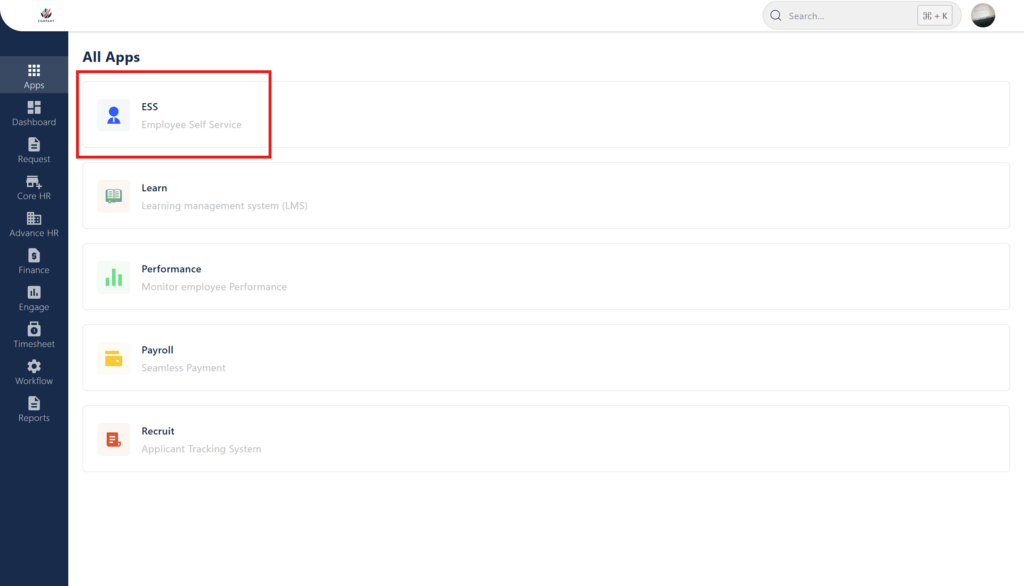
Step 1 : Access the Employee Self Service product by clicking on the ESS Module on the All Apps section.
Step 2 : On the dashboard page of the ESS portal, view the Announcements tab on the right hand side of the page.
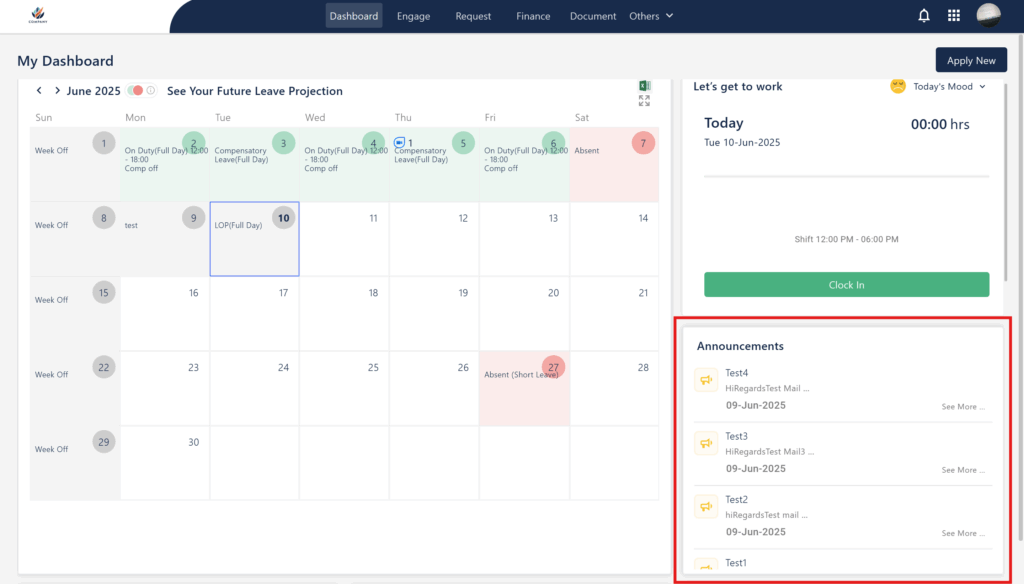
Step 3 : You can Click on the Announcements in order to open a larger preview of the them and successfully all the details within.