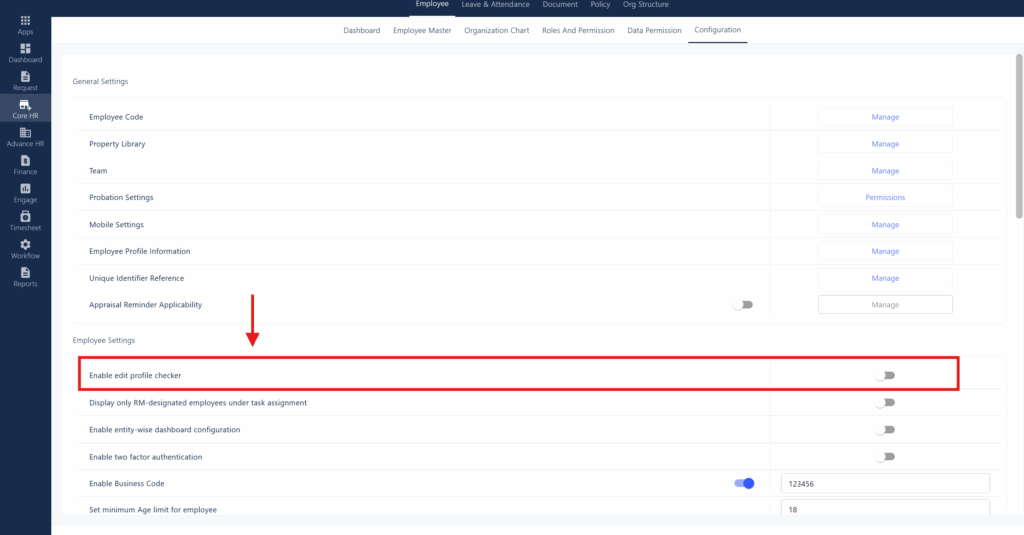
In Zimyo HRMS, the Profile Checker feature is used to restrict the Employee to make changes in some details that an Admin wants to restrict.
For example; Admin can restrict an employee so that he can not change his/her date of birth, adhaar number, Pan number etc.
By following the steps an admin can enable “Profile Checker” feature in Zimyo HRMS:
- First the admin needs to login into the Zimyo HRMS Portal. Make sure that you have the correct login credentials for that. Move to Configuration under Employee in Core HR.
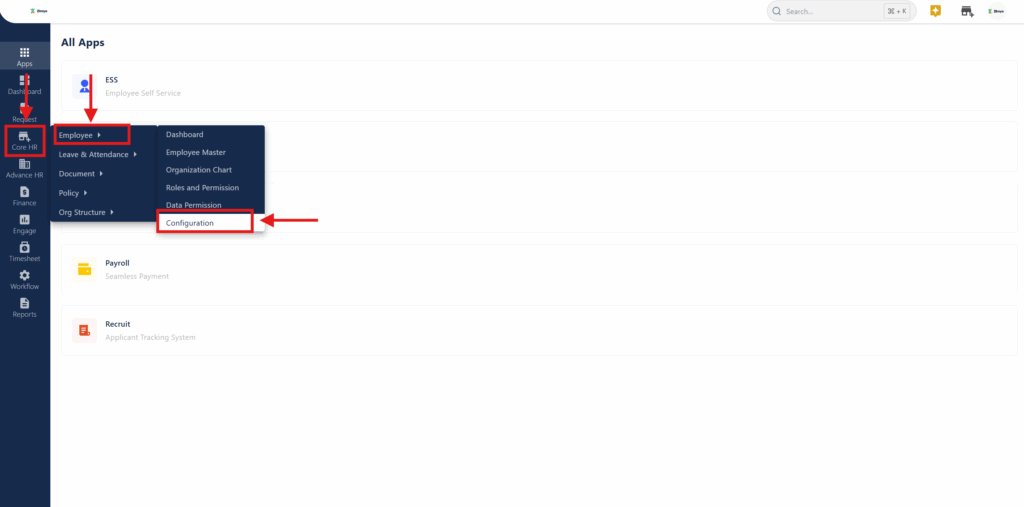
2. After moving to the Configurations under the Employee Module in Core HR. The user will be directed to the page mentioned below
The user needs to check the Toggle under the Edit Profile Checker.