Navigation Path:
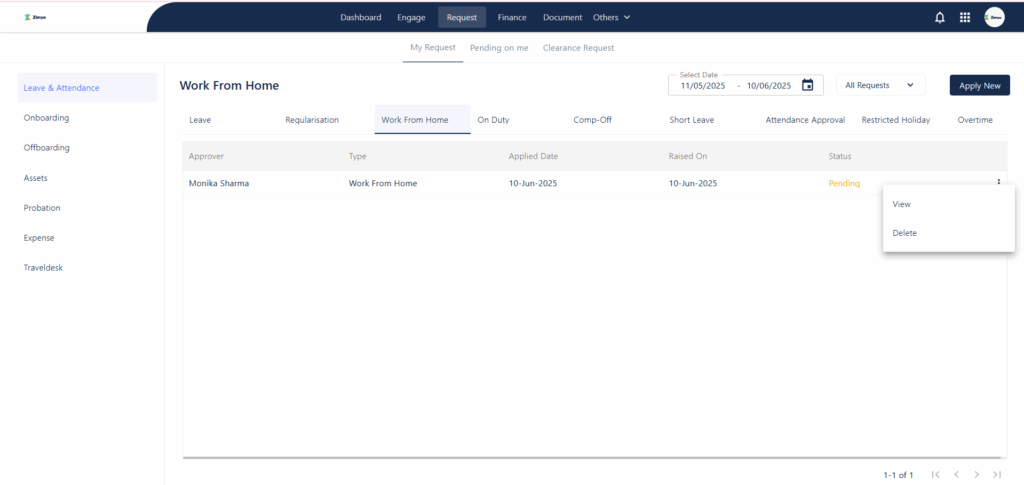
- Login to the ESS Portal
- Go to Request Section
- Click on My Requests
- Locate the specific request you want to delete
- Click on the three dots (⋮) next to that request
- Select the Delete option


Navigation Path: