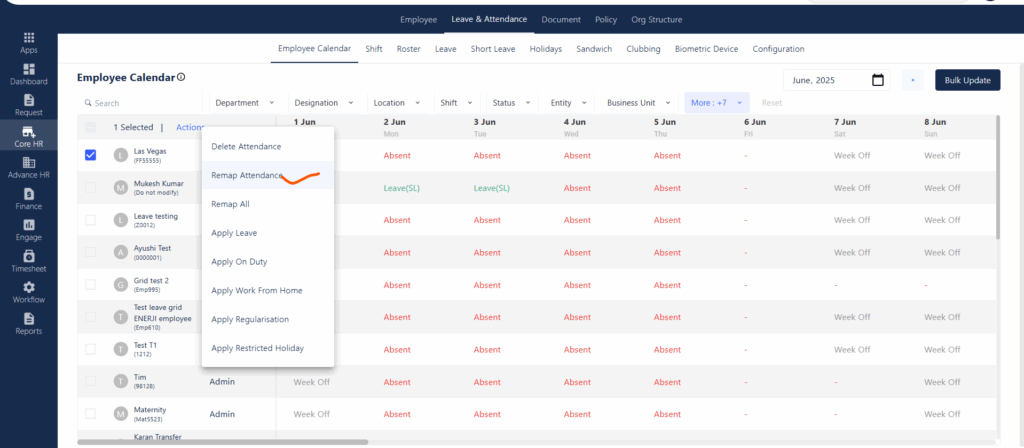

The Remap Attendance feature is useful when there are discrepancies in an employee’s attendance data—especially after changes like shift updates, holiday revisions, or leave approvals. By remapping, the system recalculates attendance for the selected dates based on the latest configurations, ensuring that the calendar reflects accurate present, absent, leave, or holiday statuses.
Path:
Core HR > Leave & Attendance > Employee Calendar > Select the checkbox next to the employee name > Remap Attendance