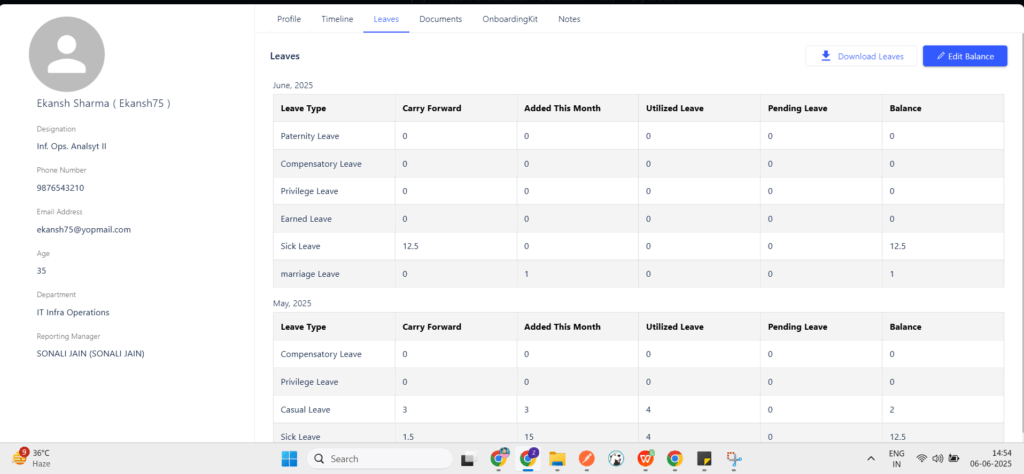

To manually assign or update the leave balance for an employee, please follow the steps below:
Navigation Path:
Core HR > Employee > Employee Master > Click on the Employee Name > Go to the “Leave Grids” Section > Click on “Edit Balance” > Select the Leave Type > Update the Balance in the “New Assigned” Column > Save
This allows HR/Admins to directly adjust leave balances as needed.