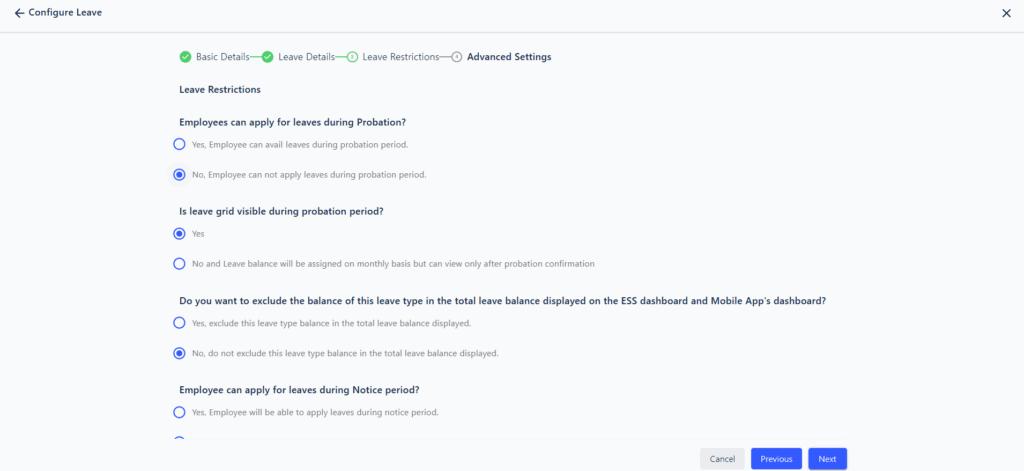

It is possible to implement a policy that restricts employees in Probation from applying for leave. This can be configured through the Leave Rule settings, helping ensure that new employees remain focused during their initial period.
Navigation Path:
Core HR > Leave & Attendance > Leave > Edit Leave Rule > Select the Leave Type > Locate the Setting to Restrict Leave During Probation
Once enabled, this setting will prevent employees who are currently in their Probation period from applying for that specific leave type.
Please refer to the relevant screenshot for detailed guidance.