Step 1: Log in to your Zimyo account, you will land on the Admin’s page. Then hover on “Reports” and select “Attendance”.
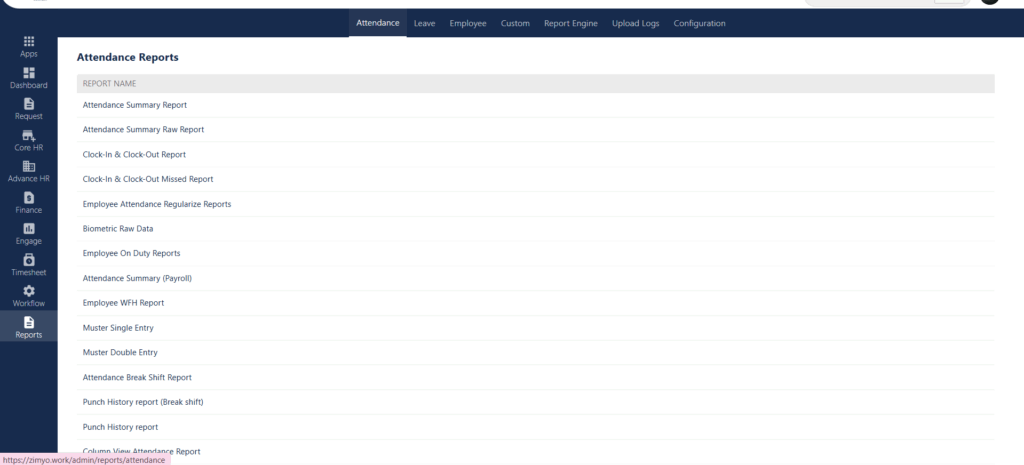
Step 2 : By clicking on Attendance, look for “Punch History report (Break shift)”
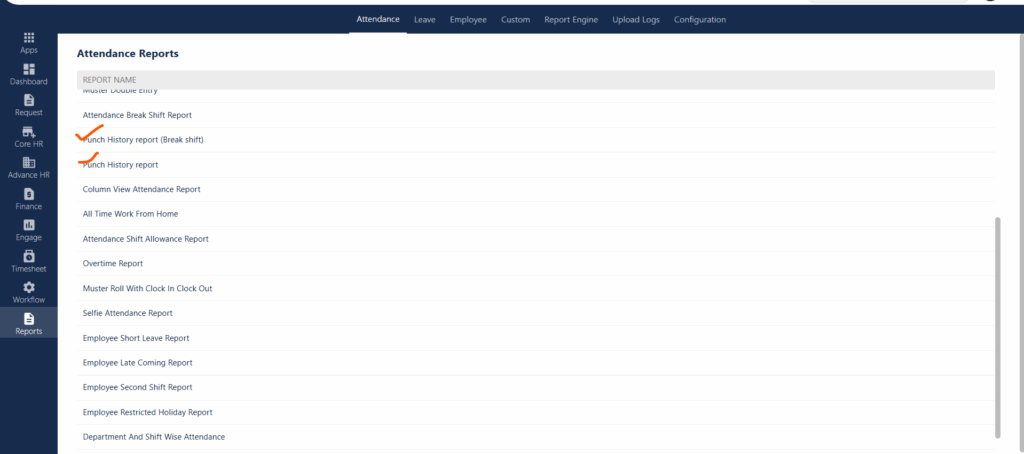


Step 1: Log in to your Zimyo account, you will land on the Admin’s page. Then hover on “Reports” and select “Attendance”.
Step 2 : By clicking on Attendance, look for “Punch History report (Break shift)”